Tickets
Create and track helpdesk tickets with Admin.
Step-by-Step Guide
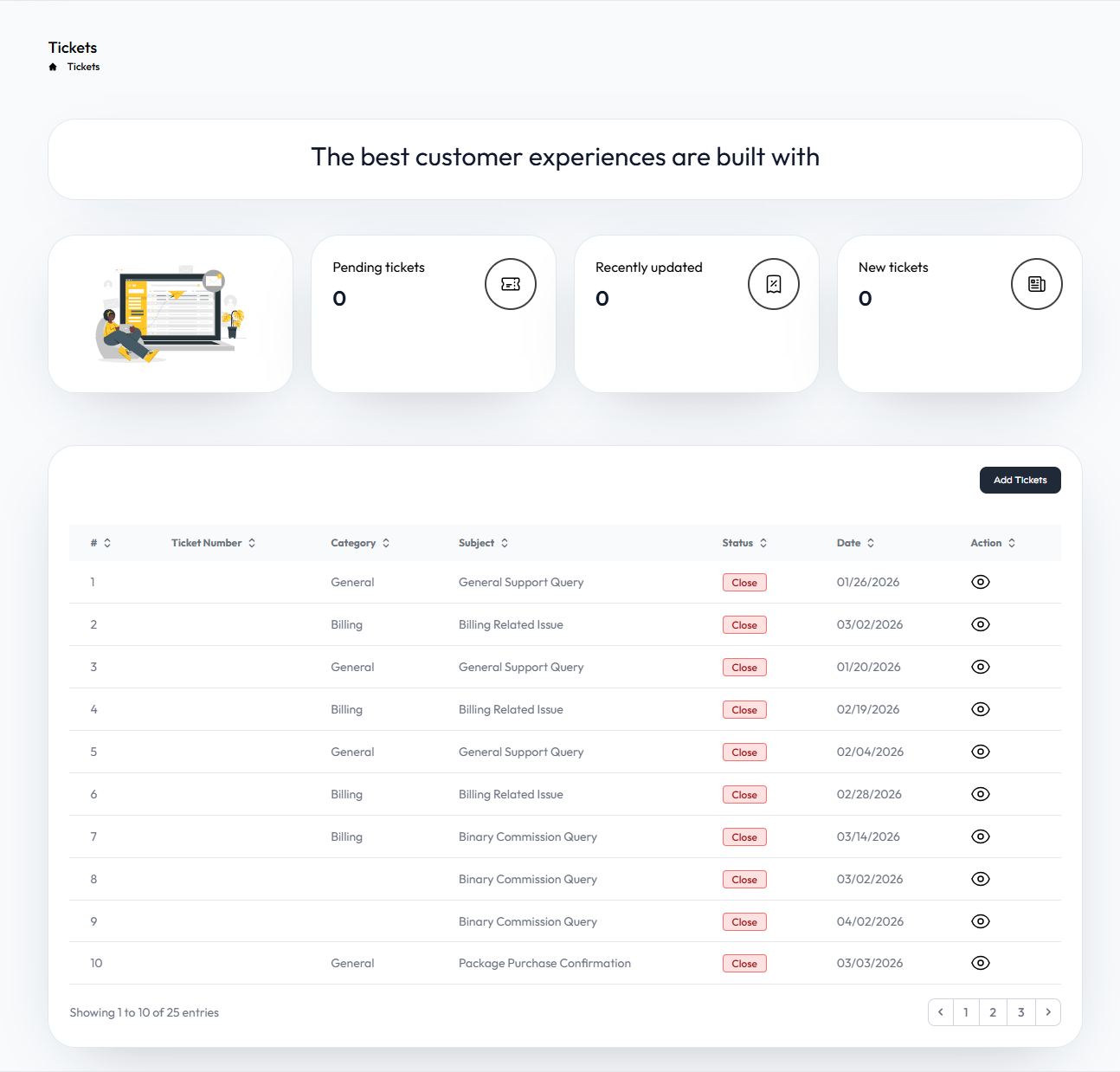
- Ticket Center: Access the main dashboard to view all your submitted tickets, track their current statuses, and create new support requests.
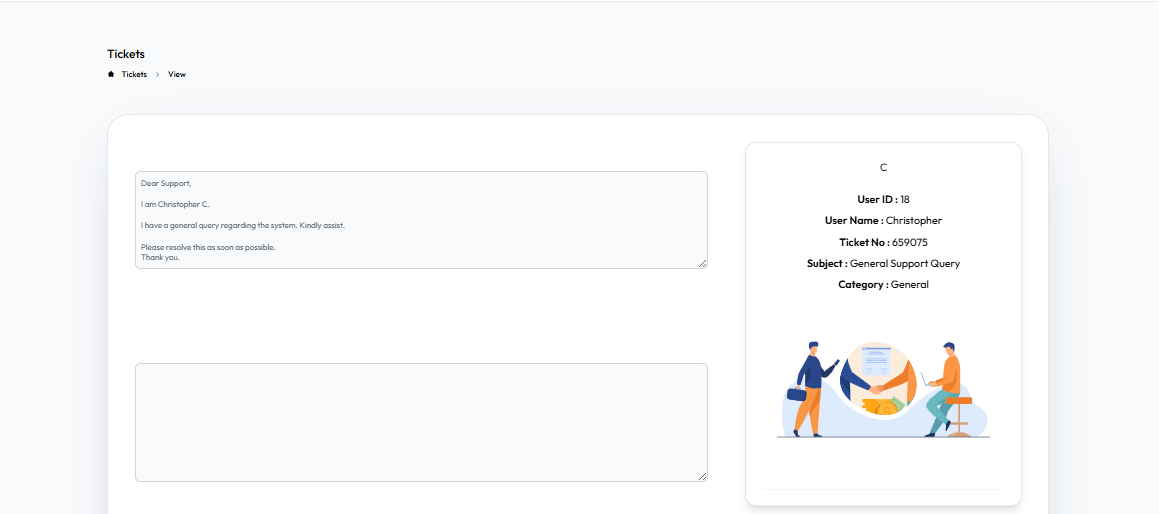
- View Ticket Details: Open individual tickets to see the complete conversation history, add new replies, and upload attachments.
User Interface Walkthrough
Step
1
Ticket Center
Flow Definition
Navigate the Ticket Center to monitor all your ongoing and resolved support requests. You can quickly check ticket statuses or initiate a new query from this overview.
Step
2
View Ticket Center
Flow Definition
Dive into the specifics of a selected ticket. Here you can read responses from the support team, provide additional information, and track the resolution progress in real-time.